What a favicon actually is
A favicon is the small icon you see in browser tabs, bookmarks, and the URL bar. The word comes from "favorite icon" — it was a Microsoft Internet Explorer 5 feature from 1999 that somehow outlived every other IE feature and became a web standard.
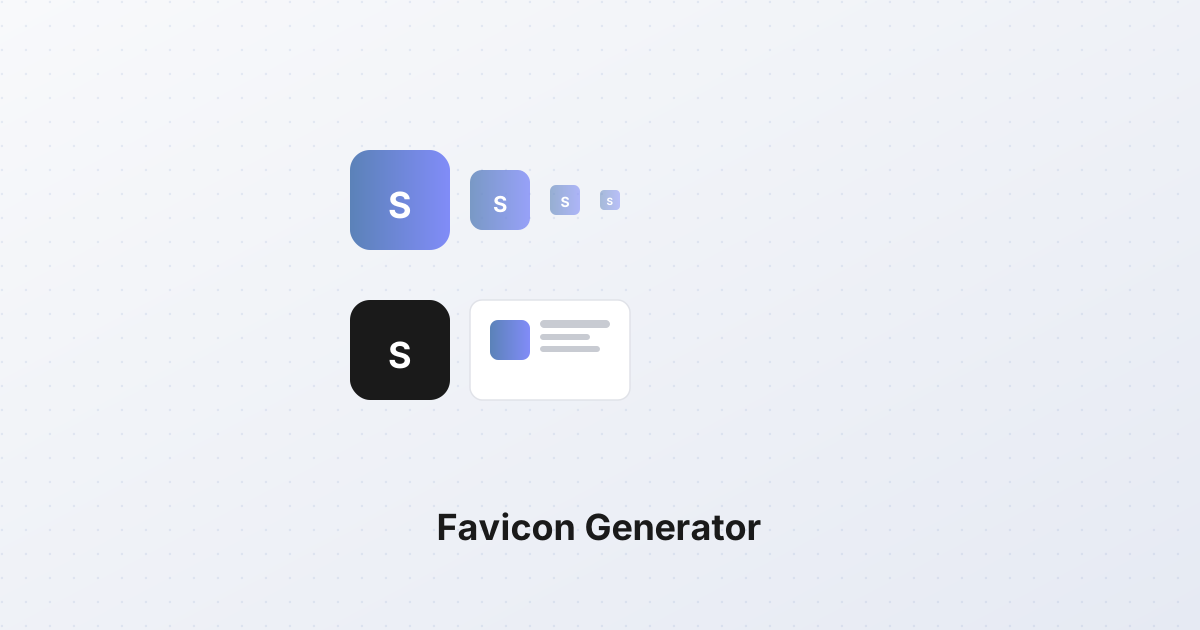
What looks like one icon is actually a family of files. The favicon.ico in your root directory is the original, but modern browsers expect more: an Apple touch icon for iOS home screens, a maskable icon for Android, and a manifest entry for PWA installation. Missing any of these means a worse experience on some platform.
The full modern favicon set
Here's what a complete favicon setup looks like in 2026:
1. favicon.ico — the original. A multi-resolution ICO file containing 16×16, 32×32, and 48×48 versions. Used by older browsers and as a fallback. Lives at /favicon.ico.
2. favicon-32x32.png and favicon-16x16.png — PNG versions in the two most common sizes. Modern browsers prefer these over ICO because PNG supports alpha transparency better.
3. apple-touch-icon.png — a 180×180 PNG used when iOS users add your site to their home screen. Apple rounds the corners automatically; the source should be a square with the icon centered and some padding.
4. android-chrome-192x192.png and android-chrome-512x512.png — used by Android Chrome for the home screen shortcut and PWA install prompt.
5. maskable-icon.png — a version of the 192×192 and 512×512 icons with extra padding around the central graphic. Android uses these for adaptive icons where the OS masks the icon into different shapes (circle, squircle, rounded square).
6. manifest.json — a Web App Manifest that declares all these icons and metadata. Required for PWA installability.
7. favicon.svg — an optional SVG version. Supported by modern browsers, scales to any size, and is the smallest file. The future of favicons, but not yet universal.
The HTML to wire it all up
In your <head>:
html<link rel="icon" href="/favicon.ico" sizes="any">
<link rel="icon" type="image/png" sizes="32x32" href="/favicon-32x32.png">
<link rel="icon" type="image/png" sizes="16x16" href="/favicon-16x16.png">
<link rel="apple-touch-icon" sizes="180x180" href="/apple-touch-icon.png">
<link rel="manifest" href="/manifest.json">
Browsers pick the most specific match. If a browser doesn't find a PNG it likes, it falls back to favicon.ico. If it doesn't find that, it requests /favicon.ico anyway (the default request), so having one at the root is a good safety net.
Generating all sizes from one source
You don't need to design 7 separate icons. Start with one source image at 512×512 pixels or larger, and resize it down. The source should be:
- Square — favicons are always square.
- High-contrast — the icon will be displayed at 16×16 pixels where detail vanishes. Simple shapes read; fine lines don't.
- No transparency on the source — for the Apple touch icon specifically, iOS fills transparent areas with black. Use a solid background.
- Bold and simple — a single letter, a simple geometric shape, or a strong logo mark. Don't try to fit your full wordmark into a 16×16 icon.
The resize operation is straightforward. The SynoxTools image resizer handles it: load the 512×512 source, resize to 192×192, 180×180, 48×48, 32×32, and 16×16. Save each. For the ICO, you bundle the 16, 32, and 48 into one multi-resolution file — most image tools handle this, or you can use a dedicated ICO converter.
For maskable icons, you need a version with the central graphic shrunk to roughly 80% of the canvas, leaving a 10% padding on all sides. This padding is what Android's masking consumes — your icon survives being clipped into a circle.
The ICO format: multi-resolution, legacy
The .ico format is unusual: it's a container that holds multiple PNG or BMP images at different sizes in one file. When a browser requests favicon.ico, it gets all sizes in one request and picks the right one at render time.
For modern sites, you can skip ICO entirely and serve only PNGs. But ICO is a useful fallback: older browsers (IE, old Safari) don't read PNG favicons, and some legacy systems specifically request .ico.
If you do generate an ICO, include 16×16, 32×32, and 48×48. The 64×64 size is rarely used. The tool that generates the ICO handles the multi-resolution bundling — you provide the source PNGs and it writes the container.
SVG favicons: the future
An SVG favicon is a single file that scales to any size. A 1KB SVG renders crisply at 16×16 and 256×256. No multi-resolution bundling, no PNG set.
Support is good in modern browsers (Chrome, Firefox, Safari, Edge all support SVG favicons as of 2023), but not universal. The safe approach is to serve both: SVG for browsers that support it, PNG/ICO as fallback.
html<link rel="icon" type="image/svg+xml" href="/favicon.svg">
<link rel="icon" href="/favicon.ico" sizes="any">
SVG favicons can even be animated — useful for loading indicators or status icons. Use sparingly; an animated favicon in a tab is distracting.
The manifest file
The manifest.json ties everything together for PWA installation. Its icons array declares all the icon files and their purposes:
json{
  "icons": [
    {"src": "/android-chrome-192x192.png", "sizes": "192x192", "type": "image/png", "purpose": "any"},
    {"src": "/android-chrome-512x512.png", "sizes": "512x512", "type": "image/png", "purpose": "any"},
    {"src": "/icon-192-maskable.png", "sizes": "192x192", "type": "image/png", "purpose": "maskable"},
    {"src": "/icon-512-maskable.png", "sizes": "512x512", "type": "image/png", "purpose": "maskable"}
  ]
}
The purpose field tells the OS how to use the icon: any for standard display, maskable for adaptive masking. A complete manifest declares both.
The takeaway
A complete favicon setup is seven files plus a manifest. Start with a 512×512 source image, resize it down to each required size, generate a multi-resolution ICO, write the manifest, and wire up the HTML. Browsers will pick the best format for their context — modern browsers get crisp PNGs or SVGs, older browsers get ICO, mobile users get the right touch icon, PWA users get maskable icons. Done once, it works everywhere.