The short answer
Use WebP as your default. Use AVIF when you can afford slower encoding and need every last kilobyte saved — typically for hero images on high-traffic sites.
If you want to stop reading here, you have the right answer for 95% of cases. If you want to know why, read on.
The numbers
For a typical 1920×1080 photograph compressed to visually-lossless quality:
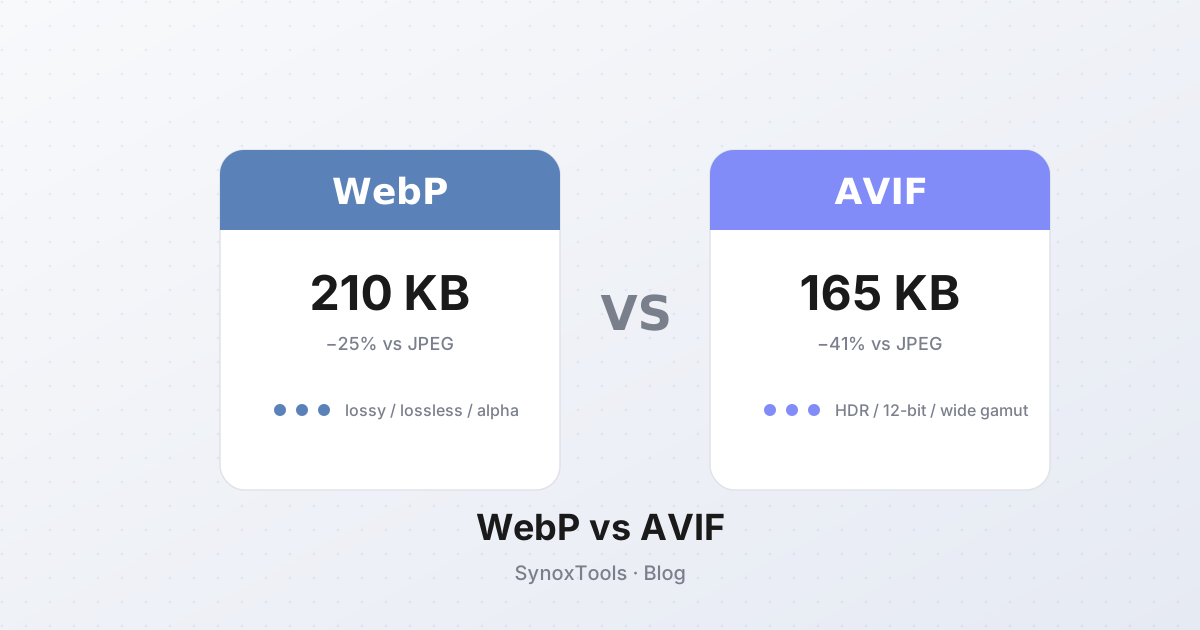
| Format | Avg file size | Relative to JPEG | |---|---|---| | JPEG (q=80) | 280 KB | baseline | | WebP (lossy, q=80) | 210 KB | −25% | | AVIF (q=70) | 165 KB | −41% |
AVIF wins by a clear margin on size. But file size is only one of three things that matter.
Browser support in 2026
Both formats have been universally supported for years. Every major browser — Chrome, Firefox, Safari, Edge, mobile Safari, Samsung Internet — handles both. If you are reading this article in 2026, you do not need a fallback.
(If you are stuck supporting very old browsers — Chrome before 2020, Safari before 2022 — use the <picture> element with a JPEG fallback. It is a 5-line template.)
Encoding speed
This is where AVIF hurts.
- WebP: cwebp encodes a 12 MP photo in ~80 ms. Fast enough to do in real time on every upload.
- AVIF: libaom encodes the same photo in 1.5–4 seconds. For batch processing, that adds up quickly.
In-browser, both are usable. SynoxTools' converter does WebP in real time; AVIF takes a noticeable moment for large images. That is the cost of the better compression ratio.
Feature checklist
| Feature | WebP | AVIF | |---|---|---| | Lossy compression | ✓ | ✓ | | Lossless compression | ✓ | ✓ | | Alpha (transparency) | ✓ | ✓ | | Animation | ✓ | ✓ | | Max dimensions | 16383×16383 | 8192×8192 | | HDR / wide gamut | partial | ✓ (full) | | Max color depth | 8-bit | 12-bit |
For HDR content, AVIF is the better choice. For everything else, WebP's larger max dimension matters more than AVIF's color depth.
When to actually use AVIF
Three cases:
- Hero images on landing pages — those 1–2 large images above the fold where every saved KB directly improves LCP.
- E-commerce product galleries with thousands of SKUs where storage costs add up.
- HDR photography sites — AVIF's wide-gamut support makes it the only modern format that does justice to HDR content.
Everywhere else, WebP's 25% saving over JPEG is more than enough.
The "why not just use both" option
You can. The <picture> element lets you declare multiple sources:
html<picture>
  <source srcset="hero.avif" type="image/avif">
  <source srcset="hero.webp" type="image/webp">
  <img src="hero.jpg" alt="Hero">
</picture>
The browser picks the first format it supports. This gives you AVIF's compression on modern browsers and JPEG fallback everywhere else. The downside: you generate and store three versions of every image. For most sites, that is more complexity than it is worth.
Practical advice
- For your blog/CMS: convert images to WebP at quality 80. Done.
- For a high-traffic landing page: generate both WebP and AVIF, use
<picture>. - For archives: keep originals as PNG or lossless WebP.
- For email attachments: stick with JPEG — most email clients still don't render WebP.
The format question is much smaller than people make it out to be. Pick WebP, move on, spend the saved time on the actual content.